

Author: thepalashjain

  • Best Cricket Stadiums in the World

    Best Cricket Stadiums in the World

    Introduction

    Cricket is a beloved sport in many countries around the world, and as such, there are a number of massive cricket stadiums that have been built to accommodate the huge crowds that attend matches. In this article, we will take a look at some of the biggest cricket stadiums in the world, including their capacity, location, and notable features.

    Melbourne Cricket Ground (MCG) – Melbourne, Australia

    biggest cricket stadium world
biggest cricket ground in the world
    Melbourne Cricket Ground

    The Melbourne Cricket Ground, also known as the MCG, is a cricket stadium located in Melbourne, Australia. It is the largest cricket stadium in the world in terms of capacity, with a seating capacity of 100,024. The MCG is also the home of the Melbourne Cricket Club, which was founded in 1838, making it one of the oldest cricket clubs in the world.

    In addition to its size and historical significance, the MCG is also known for its iconic design. The stadium was built in 1853 and has undergone several renovations over the years, including the addition of a new grandstand in the 1930s and the construction of the Great Southern Stand in 1992. The MCG is also home to the National Sports Museum, which showcases the history of Australian sport and features exhibits on cricket, Australian rules football, and other sports.
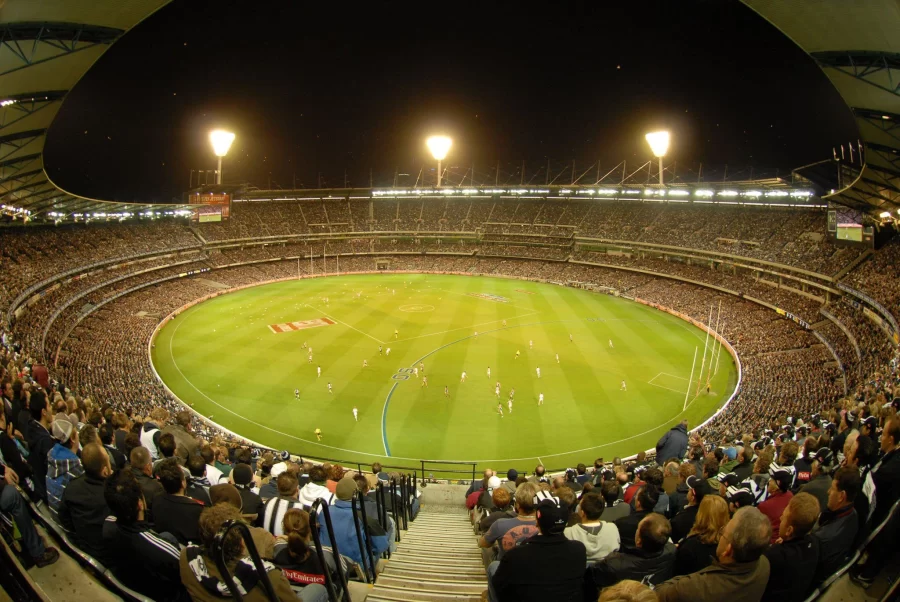
    biggest cricket stadium of the world
biggest cricket ground in world
largest stadium in the world for cricket
    Melbourne Cricket Ground

    The MCG has hosted numerous international cricket matches, including the first ever Test match between Australia and England in 1877. It has also hosted numerous other sporting events, such as the 1956 Summer Olympics and the 2006 Commonwealth Games, as well as concerts by artists such as Madonna and the Rolling Stones.

    Eden Gardens – Kolkata, India
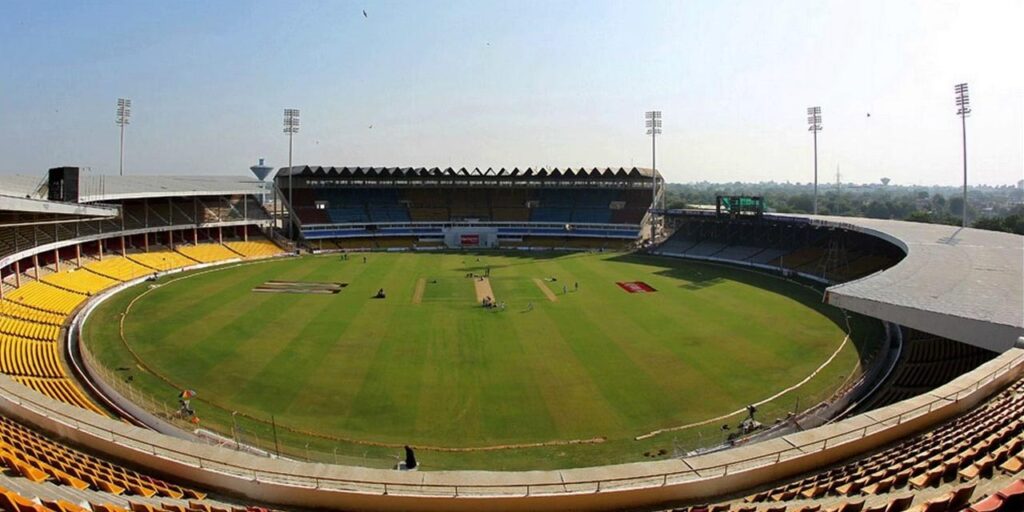
    Eden Gardens - Kolkata, India
beautiful cricket stadium in world
beautiful cricket ground
    Eden Gardens – Kolkata, India

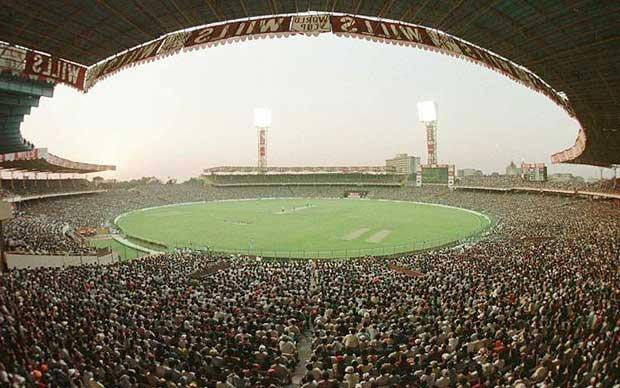
    Eden Gardens is a cricket stadium located in Kolkata, India. It is the second-largest cricket stadium in the world in terms of capacity, with a seating capacity of 66,349. Eden Gardens is home to the Kolkata Knight Riders, a franchise team in the Indian Premier League (IPL). The stadium has undergone several renovations over the years, including the addition of a new media center and a new club house.
    maharashtra cricket association stadium pitch report hindi
pune cricket stadium average score in odi
    Eden Gardens – Kolkata, India

    Eden Gardens has a rich history, with the first match being played there in 1864. It has hosted numerous international cricket matches, including the 1987 and 1996 Cricket World Cups. The stadium is known for its passionate fans, who are known to create a lively atmosphere during matches.

    Shaheed Veer Narayan Singh International Cricket Stadium – Raipur, India

    Shaheed Veer Narayan Singh International Cricket Stadium - Raipur, India
shaheed veer narayan singh international cricket stadium raipur
cricket ground design
    Shaheed Veer Narayan Singh International Cricket Stadium – Raipur, India

    The Shaheed Veer Narayan Singh International Cricket Stadium is a cricket stadium located in Raipur, India. It is the third-largest cricket stadium in the world in terms of capacity, with a seating capacity of 65,000. The stadium was built in 2008 and has state-of-the-art facilities, including a hybrid grass pitch.

    In terms of architecture, the Shaheed Veer Narayan Singh International Cricket Stadium is known for its modern design. The stadium was designed by architect HKS, Inc. and features a rectangular shape with four stands arranged around the pitch. The stands are connected by a series of arches, which create a visually striking and cohesive design. The exterior of the stadium is clad in white concrete, which gives it a modern and sleek look.
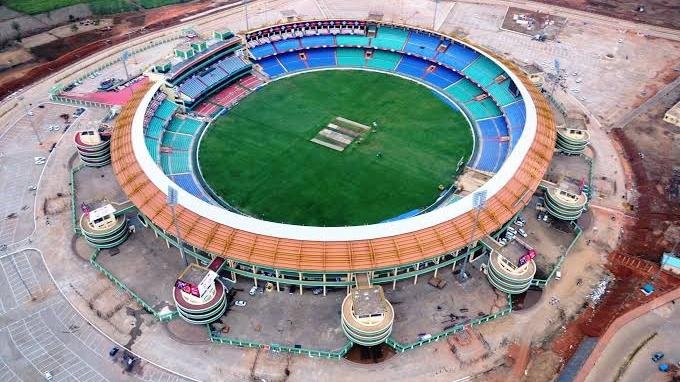
    shaheed veer narayan singh international cricket stadium raipur
holkar cricket stadium
largest stadium in the world for cricket
    Photo by Sporting News

    The Shaheed Veer Narayan Singh International Cricket Stadium has hosted numerous international cricket matches, including the 2011 Cricket World Cup. It is also home to the Chhattisgarh team, which plays in the domestic Indian cricket leagues.

    Sardar Patel Stadium – Ahmedabad, India

    Sardar Patel Stadium - Ahmedabad, India
largest cricket ground in the world
beautiful cricket ground
beautiful cricket stadium in world
    Sardar Patel Stadium – Ahmedabad, India

    The Sardar Patel Stadium, also known as the Motera Stadium, is a cricket stadium located in Ahmedabad, India. It is the fourth-largest cricket stadium in the world in terms of capacity, with a seating capacity of 55,000. The stadium was renovated in 2020, and it now features a new club house, a new media center, and improved seating and lighting.

    In terms of architecture, the Sardar Patel Stadium is known for its modern design. The stadium was designed by architect HKS, Inc. and was built in 1982. It features a rectangular shape with four stands arranged around the pitch. The stands are connected by a series of arches, which create a visually striking and cohesive design. The exterior of the stadium is clad in red brick, which gives it a traditional and timeless look.
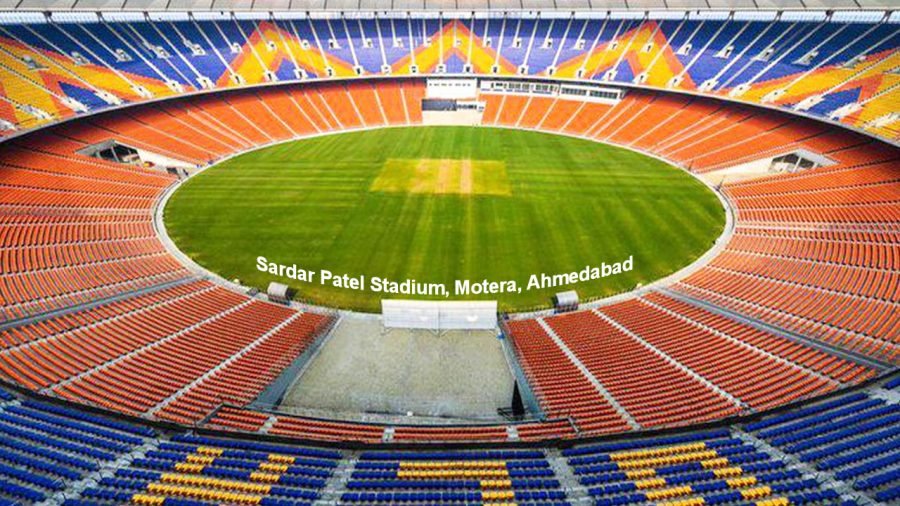
    Sardar Patel Stadium - Ahmedabad, India
largest cricket ground in the world
beautiful cricket ground
beautiful cricket stadium in world
    Photo by CricWindow

    The Sardar Patel Stadium has hosted numerous international cricket matches, including the 1987 and 1996 Cricket World Cups. It is also home to the Gujarat Lions, a franchise team in the IPL.

    The Gabba – Brisbane, Australia
     rawalpindi cricket stadium pitch report
pune cricket stadium average score in odi
pune cricket stadium pitch report in hindi
    Gabba

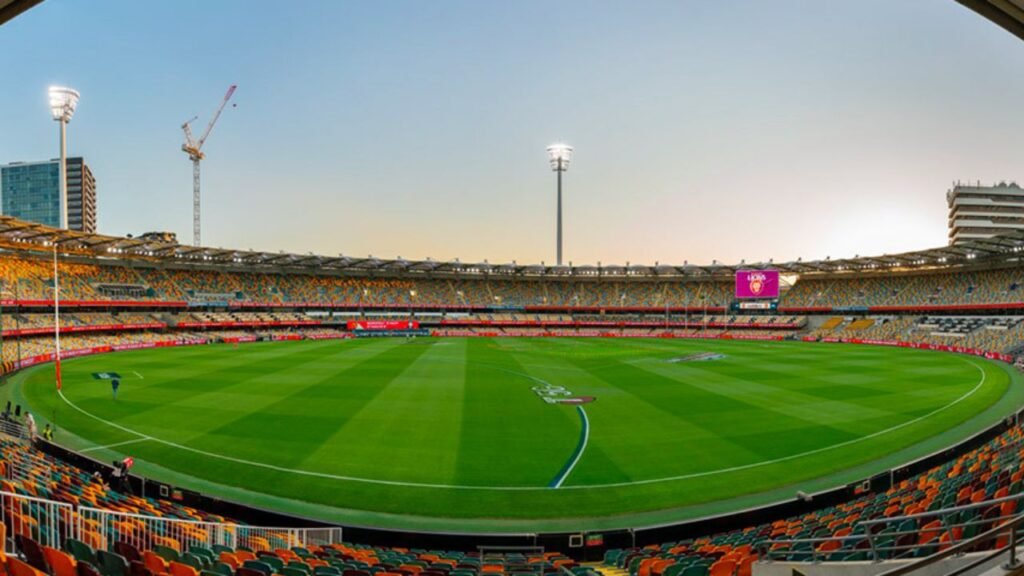
    The Gabba is a cricket stadium located in Brisbane, Australia. It is the fifth-largest cricket stadium in the world in terms of capacity, with a seating capacity of 42,000. The Gabba is home to the Brisbane Heat, a franchise team in the Big Bash League (BBL). In addition to cricket, the Gabba is also used for Australian rules football and concerts.

    In terms of architecture, the Gabba is known for its traditional design. The stadium was designed by architect Peter Barker and was built in 1895. It features a rectangular shape with four stands arranged around the pitch. The stands are connected by a series of arches, which create a visually striking and cohesive design. The exterior of the stadium is clad in red brick, which gives it a traditional and timeless look.

    beautiful cricket stadium in India
beautiful cricket stadium in the world
world biggest cricket ground
    Photo by Austadiums

    The Gabba has undergone several renovations over the years, including the addition of a new grandstand in the 1970s and the construction of a new media center in the 1990s. It has also hosted numerous international cricket matches, as well as concerts by artists such as the Rolling Stones and AC/DC.

    Adelaide Oval – Adelaide, Australia

    Adelaide Oval - Adelaide, Australia
adelaide cricket ground capacity
adelaide oval before renovation
    Adelaide Oval – Adelaide, Australia

    The Adelaide Oval is a cricket stadium located in Adelaide, Australia. It is the sixth-largest cricket stadium in the world in terms of capacity, with a seating capacity of 53,500. The Adelaide Oval is home to the Adelaide Strikers, a franchise team in the BBL. In addition to cricket, the Adelaide Oval is also used for Australian rules football and concerts.

    In terms of architecture, the Adelaide Oval is known for its modern design. The stadium was designed by architect Woods Bagot and was built in 1871. It features a rectangular shape with four stands arranged around the pitch. The stands are connected by a series of arches, which create a visually striking and cohesive design. The exterior of the stadium is clad in white concrete, which gives it a modern and sleek look.

    world largest cricket ground
world largest stadium of cricket
australia best cricket stadium
    Photo by The Guardian

    The Adelaide Oval has undergone several renovations over the years, including the construction of a new grandstand in the 1980s and the renovation of the media center in the 2000s. It has also hosted numerous international cricket matches, as well as concerts by artists such as the Rolling Stones and U2.

    Australia boasts some of the best cricket stadiums in the world, known for their iconic designs and excellent facilities. The Australian cricket grounds in size varies a lot, with each offering a unique and memorable experience for cricket enthusiasts.

    Wankhede Stadium – Mumbai, India

    Wankhede Stadium - Mumbai, India
maharashtra cricket association stadium pitch report hindi
world biggest cricket stadium
cricket stadium background
    Wankhede Stadium – Mumbai, India

    The Wankhede Stadium is a cricket stadium located in Mumbai, India. It is the seventh-largest cricket stadium in the world in terms of capacity, with a seating capacity of 33,108. The Wankhede Stadium is home to the Mumbai Indians, a franchise team in the Indian Premier League (IPL). The stadium was built in 1974 and has undergone several renovations over the years, including the addition of a new media center in 2011.

    In terms of architecture, the Wankhede Stadium is known for its traditional design. The stadium was designed by architect Shashi Prabhu and features a rectangular shape with four stands arranged around the pitch. The stands are connected by a series of arches, which create a visually striking and cohesive design. The exterior of the stadium is clad in red brick, which gives it a traditional and timeless look.

    world largest cricket stadium
JSCA international cricket stadium
India's smallest cricket stadium
    Photo by Zap Cricket

    The Wankhede Stadium has hosted numerous international cricket matches, including the 2011 Cricket World Cup. It is also home to the Mumbai cricket team, which plays in the domestic Indian cricket leagues. The stadium is known for its passionate fans, who are known to create a lively atmosphere during matches.

    The Oval – London, England

    The Oval - London, England
colombo cricket stadium
mahinda rajapaksha international cricket stadium
    The Oval – London, England

    The Oval is a cricket stadium located in London, England. It is the eighth-largest cricket stadium in the world in terms of capacity, with a seating capacity of 25,500. The Oval is home to the Surrey County Cricket Club and is also used for concerts and other events. The Oval has a rich history, with the first Test match being played there in 1880.

    In terms of architecture, the Oval is known for its traditional design. The stadium was designed by architect Thomas Lord and was built in 1845. It features a rectangular shape with four stands arranged around the pitch. The stands are connected by a series of arches, which create a visually striking and cohesive design. The exterior of the stadium is clad in red brick, which gives it a traditional and timeless look.

    sylhet international cricket stadium pitch report
aca vdca cricket stadium
biggest cricket ground in world
world biggest cricket ground
    Photo by SportsMatik

    The Oval has undergone several renovations over the years, including the addition of a new media center in the 1990s and the renovation of the club house in the 2000s. It has also hosted numerous international cricket matches, as well as concerts by artists such as the Rolling Stones and U2.

    Edgbaston Cricket Ground – Birmingham, England
    Edgbaston Cricket Ground - Birmingham, England
biggest cricket stadiums in the world
biggest cricket stadium world
    Edgbaston Cricket Ground – Birmingham, England

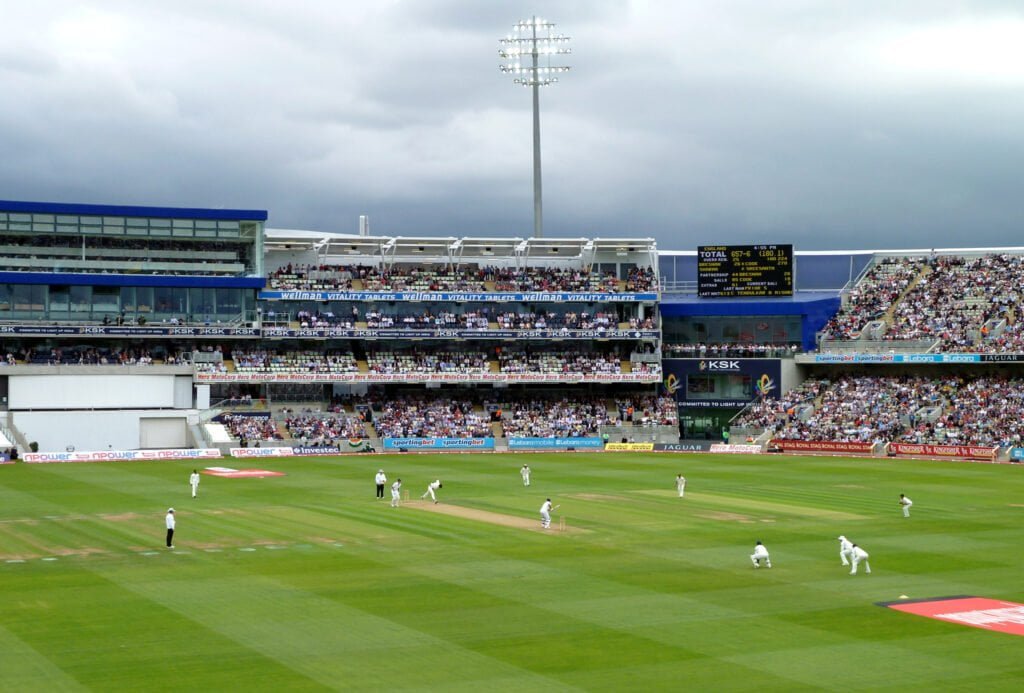
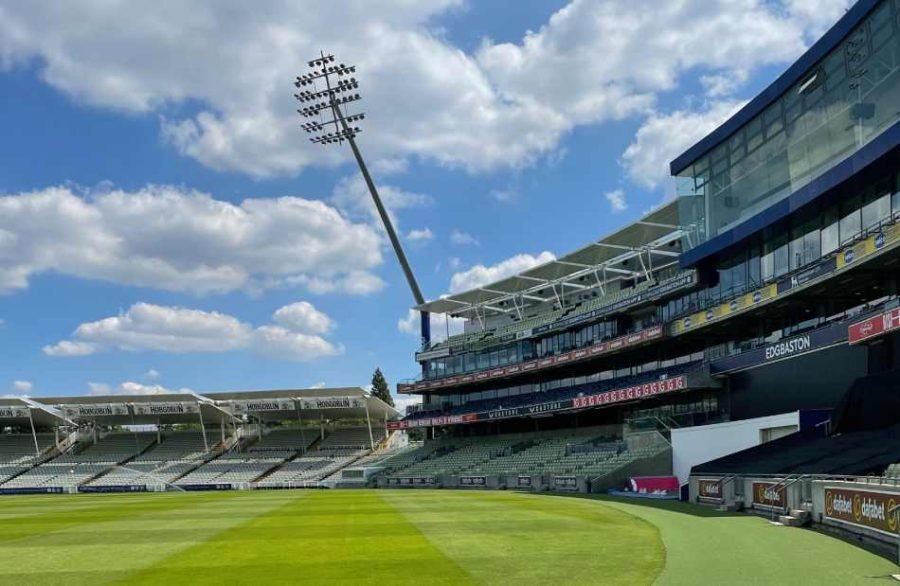
    The Edgbaston Cricket Ground is a cricket stadium located in Birmingham, England. It is the ninth-largest cricket stadium in the world in terms of capacity, with a seating capacity of 25,000. The Edgbaston Cricket Ground is home to the Warwickshire County Cricket Club and is also used for concerts and other events. The stadium has undergone several renovations over the years, including the addition of a new stand in 2011.

    In terms of architecture, the Edgbaston Cricket Ground is known for its modern design. The stadium was designed by architect Michael Hopkins and was built in 1882. It features a rectangular shape with four stands arranged around the pitch. The stands are connected by a series of arches, which create a visually striking and cohesive design. The exterior of the stadium is clad in white concrete, which gives it a modern and sleek look.
    supersport park cricket stadium weather
saurashtra cricket association stadium
cricket stadium background
    Photo by myKhel

    The Edgbaston Cricket Ground has hosted numerous international cricket matches, including the 1999 Cricket World Cup. It is also home to the Birmingham Bears, a franchise team in the BBL.

    The Rose Bowl – Southampton, England
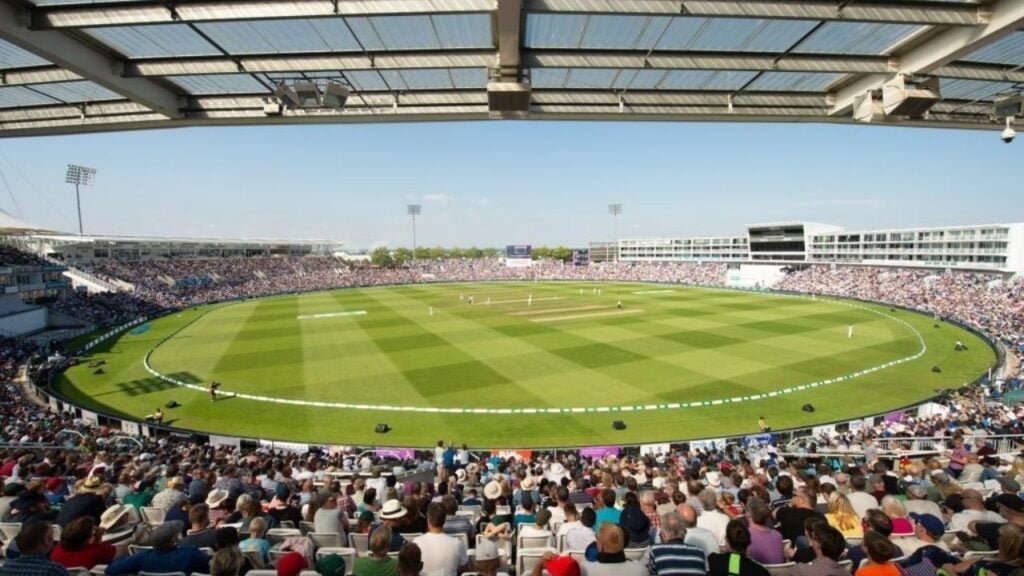
    The Rose Bowl - Southampton, England
rajiv gandhi international cricket stadium hyderabad
aca vdca cricket stadium
    The Rose Bowl – Southampton, England

    The Rose Bowl is a cricket stadium located in Southampton, England. It is the tenth-largest cricket stadium in the world in terms of capacity, with a seating capacity of 25,000. The Rose Bowl is home to the Hampshire County Cricket Club and is also used for concerts and other events. The stadium was built in 2001 and has state-of-the-art facilities, including a hybrid grass pitch.

    In terms of architecture, the Rose Bowl is known for its modern design. The stadium was designed by architect Michael Hopkins and was built in 2001. It features a rectangular shape with four stands arranged around the pitch. The stands are connected by a series of arches, which create a visually striking and cohesive design. The exterior of the stadium is clad in white concrete, which gives it a modern and sleek look.

    punjab cricket association stadium ipl records
punjab cricket association stadium
punjab cricket association stadium pitch report
punjab cricket association stadium photos
    Photo by SportsAdda

    The Rose Bowl has hosted numerous international cricket matches, including the 2019 Cricket World Cup. It is also home to the Hampshire Hawks, a franchise team in the BBL.

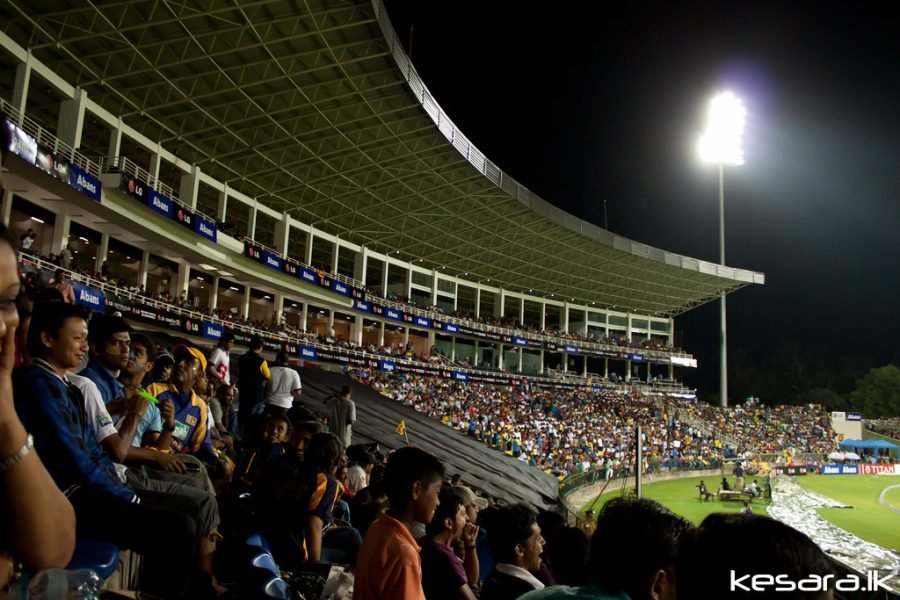
    Pallekele International Cricket Stadium – Kandy, Sri Lanka
    pallekele international cricket stadium weather
pallekele cricket stadium
pallekele international cricket stadium
    Photo by SportsAdda

    Pallekele International Cricket Stadium, located in Kandy, Sri Lanka, is a marvel of modern architecture and engineering. Designed by renowned architect Arata Isozaki, the stadium stands as a testament to Sri Lanka’s passion for cricket. Its unique design incorporates elements of traditional Sri Lankan architecture with modern, sustainable materials and technologies.

    The stadium boasts a seating capacity of 35,000 spectators, offering breathtaking views of the surrounding mountains and lush greenery.

    multan cricket stadium pitch report in hindi
mohali cricket stadium last 10 matches
sharjah cricket stadium
    Photo by SportsTime247

    Pallekele International Cricket Stadium is not just a venue for cricket matches; it is a symbol of Sri Lanka’s rich cultural heritage and commitment to excellence in sports infrastructure.

    Conclusion

    In conclusion, cricket is a popular sport that attracts large crowds, and as such, there are a number of massive cricket stadiums around the world that have been built to accommodate these crowds. From the Melbourne Cricket Ground in Australia, which is the largest cricket stadium in the world in terms of capacity, to the Rose Bowl in Southampton, England, which is the tenth-largest cricket stadium in the world, these stadiums showcase the passion and enthusiasm that fans have for the sport.

    Whether you are a fan of cricket or just appreciate the beauty and grandeur of these massive sporting venues, these biggest cricket stadiums in the world are definitely worth a visit.

    FAQ

    Q. What is the biggest cricket stadium in the world?
    A. The Melbourne Cricket Ground (MCG) in Melbourne, Australia, holds the title for the largest cricket stadium in the world, with a seating capacity of 100,024.

    Q. Where is the biggest cricket ground in the world located?
    A. The Melbourne Cricket Ground (MCG) in Melbourne, Australia, is the biggest cricket ground in the world by seating capacity.

    Q. What are some other big cricket stadiums in the world?
    A. Some other big cricket stadiums include Eden Gardens in Kolkata, India (seating capacity of 66,349), Shaheed Veer Narayan Singh International Cricket Stadium in Raipur, India (seating capacity of 65,000), and Sardar Patel Stadium in Ahmedabad, India (seating capacity of 55,000).

    Q. Are there any beautiful cricket stadiums in India?
    A. Yes, there are several beautiful cricket stadiums in India, including the Eden Gardens in Kolkata, which is known for its picturesque setting and passionate fans, and the Wankhede Stadium in Mumbai, which has a rich history and modern amenities.

    Q. What is the weather like at Pallekele International Cricket Stadium in Kandy, Sri Lanka?
    A. The weather at Pallekele International Cricket Stadium in Kandy, Sri Lanka, is generally warm and humid, with temperatures ranging from 25°C to 30°C throughout the year. It is advisable to check the weather forecast before attending a match at the stadium.

    Q. What is the pitch report for Rawalpindi Cricket Stadium?
    A. The pitch at Rawalpindi Cricket Stadium in Rawalpindi, Pakistan, is known for being batsman-friendly, with good bounce and carry. It generally favors spinners later in the match.

    Q. What is the pitch report for Maharashtra Cricket Association Stadium in Pune, India?
    A. The pitch at Maharashtra Cricket Association Stadium in Pune, India, is known for being slow and low, which generally makes it favorable for spinners. The average score in a One Day International (ODI) match at this stadium is around 250-270 runs.

    Q. What are some of the features of the Holkar Cricket Stadium in Indore, India?
    A. The Holkar Cricket Stadium in Indore, India, is known for its modern facilities and picturesque setting. It has a seating capacity of around 30,000 and is equipped with state-of-the-art amenities for players and spectators alike.

    Q. What are the records at Punjab Cricket Association Stadium in Mohali, India, during the Indian Premier League (IPL)?
    A. The Punjab Cricket Association Stadium in Mohali, India, has hosted several IPL matches and has seen some impressive performances. The stadium has a seating capacity of around 26,000 and is known for its lively atmosphere during IPL matches.

    Q. What is the design of ACA-VDCA Cricket Stadium in Visakhapatnam, India?
    A. The ACA-VDCA Cricket Stadium in Visakhapatnam, India, is known for its modern design and excellent facilities. It has a seating capacity of around 27,000 and is equipped with state-of-the-art amenities for players and spectators alike.

  • 14 Best Laptops for Architecture Students: A Comprehensive Guide

    14 Best Laptops for Architecture Students: A Comprehensive Guide

    As an architecture student, finding the right laptop is crucial for success in your studies. From running resource-intensive software like AutoCAD and SketchUp to creating detailed 3D models and visualizations, the right laptop can make all the difference in your work.

    However, with so many laptop options available, it can be overwhelming to find the right one for your needs. In this comprehensive guide, we will explore what to look for in a laptop for architecture students, and provide detailed information on some of the best options available.

    Key factors to consider while choosing a laptop for architecture school

    1.     Processor: A powerful processor is important for running resource-intensive software such as AutoCAD, SketchUp, and Revit. Look for laptops with at least an Intel Core i5 or AMD Ryzen 5 processor.

    2.     Graphics: A dedicated graphics card is important for rendering 3D models and visualizations. Look for laptops with at least an NVIDIA GeForce GTX 1650 or AMD Radeon RX 560 graphics card.

    3.     Display: A high-resolution display is important for viewing and working with detailed architectural drawings and models. Look for laptops with at least a 1080p resolution display.

    4.     Storage: Architecture students will likely need a lot of storage space for project files and software, so look for laptops with at least 500GB of storage space.

    5.     Battery life: Architecture students may be working on their laptops for long periods of time, so good battery life is important. Look for laptops with at least 8 hours of battery life.

    6.     Portability: As an architecture student, you may need to take your laptop with you to class, studio, or client meetings. Look for laptops that are lightweight and portable.

    7.     Durability: Laptops for architecture students should be durable enough to withstand the rigors of school and travel. Look for laptops with sturdy builds and reliable components.

    8.     Price: Finally, consider your budget when choosing a laptop for architecture school. While it’s important to invest in a quality machine, you don’t want to break the bank. Look for laptops that offer the features and performance you need at a price that fits your budget.

    Now that we’ve covered what to look for in a laptop for architecture students, let’s take a look at some of the best options available.

    Low-Budget Laptops (High Performance)

    ASUS TUF Gaming A17_Ryzen 5

    14 Best Laptops for Architecture Students: A Comprehensive Guide 1.     Processor: A powerful processor is important for running resource-intensive software such as AutoCAD, SketchUp, and Revit. Look for laptops with at least an Intel Core i5 or AMD Ryzen 5 processor. Laptops,Architecture
    Amazon Link: ASUS TUF Gaming A17, AMD Ryzen 5 4600H, 17.3″ Gaming Laptop

    The ASUS TUF Gaming A17 is a laptop designed specifically for gamers and power users, but it can also be a suitable choice for architecture students due to its powerful specifications and large display.

    Performance: The ASUS TUF Gaming A17 is equipped with an AMD Ryzen 5 4600H processor, which offers excellent performance for multitasking and running demanding software like architectural design tools. The laptop also features 16GB of RAM, providing smooth performance during intensive tasks.

    Graphics: With its dedicated NVIDIA GeForce GTX 1660 Ti graphics card, the ASUS TUF Gaming A17 can handle 3D rendering and visualization tasks effectively. This is a significant advantage for architecture students who work with complex 3D models.

    Display: The laptop boasts a large 17.3-inch display, which provides ample screen real estate for working on detailed architectural drawings and designs. Although it doesn’t have the highest resolution available, it still offers a satisfactory visual experience for most tasks.

    Design and Durability: The ASUS TUF Gaming A17 features a durable design with military-grade construction, ensuring it can withstand the rigors of daily use. It has a bold and aggressive aesthetic, which may appeal to gamers but might not be everyone’s preference.

    Storage and Connectivity: The laptop comes with a 512GB solid-state drive (SSD), offering fast boot times and quick access to files. Additionally, it provides multiple ports for connectivity, including USB Type-C and Type-A ports, HDMI, and Ethernet.

    Reasons to buy:

    • Powerful performance with the AMD Ryzen 5 4600H processor and NVIDIA GeForce GTX 1660 Ti graphics card.
    • Large 17.3-inch display for comfortable work on architectural projects.
    • Durable construction ensures long-term reliability.
    • Ample storage with a 512GB solid-state drive.
    • Versatile connectivity options with various ports available.

    Reasons not to buy:

    • The laptop has a gaming-focused design, which may not appeal to all users, especially those seeking a more professional aesthetic.
    • The display resolution is not the highest available, which may impact the level of detail in architectural work.

    Overall, the ASUS TUF Gaming A17 with the AMD Ryzen 5 4600H processor and 17.3-inch display offers powerful performance and a large screen size, making it a suitable choice for architecture students. However, the laptop’s gaming-oriented design and the display’s resolution may be factors to consider depending on individual preferences and requirements.

    Lenovo Ideapad Gaming 3_Ryzen 5

    14 Best Laptops for Architecture Students: A Comprehensive Guide 1.     Processor: A powerful processor is important for running resource-intensive software such as AutoCAD, SketchUp, and Revit. Look for laptops with at least an Intel Core i5 or AMD Ryzen 5 processor. Laptops,Architecture
    Amazon Link: Lenovo Ideapad Gaming 3 AMD Ryzen 5 5600H 15.6

    The Lenovo Ideapad Gaming 3 with the AMD Ryzen 5 5600H processor is a capable laptop that offers a balance of performance and affordability, making it a viable option for architecture students who require a reliable machine for their design and rendering needs.

    Performance: The laptop features the AMD Ryzen 5 5600H processor, which offers impressive performance for multitasking and running resource-intensive software. With 6 cores and 12 threads, it provides a smooth experience while working on architectural projects and running design applications.

    Graphics: The Lenovo Ideapad Gaming 3 comes with an NVIDIA GeForce GTX 1650 graphics card, which is suitable for handling 3D modeling and rendering tasks. While it may not be the most powerful graphics card available, it still delivers satisfactory performance for most architectural applications.

    Display: The laptop features a 15.6-inch Full HD display, offering a crisp and vibrant visual experience for architectural work. While the screen size is not as large as some other options, it still provides ample space for working on designs and viewing detailed drawings.

    Design and Durability: The Ideapad Gaming 3 features a sleek and modern design with a gamer-inspired aesthetic. It has a sturdy build quality and is designed to withstand regular use, ensuring durability throughout the lifespan of the laptop.

    Storage and Connectivity: The laptop offers a combination of fast performance and ample storage with its 512GB solid-state drive (SSD). It also provides a range of connectivity options, including USB Type-C, USB Type-A, HDMI, and an SD card reader, making it convenient to connect external devices and transfer files.

    Reasons to buy:

    • Powerful performance with the AMD Ryzen 5 5600H processor for smooth multitasking.
    • NVIDIA GeForce GTX 1650 graphics card suitable for 3D modeling and rendering.
    • Crisp and vibrant 15.6-inch Full HD display for working on architectural projects.
    • Sleek and modern design with a durable build quality.
    • Ample storage with a 512GB solid-state drive.
    • Multiple connectivity options for convenient usage.

    Reasons not to buy:

    • The laptop’s display size may be considered small by some users who prefer larger screens for architectural work.
    • The NVIDIA GeForce GTX 1650 graphics card, while capable, may not offer the highest level of performance for demanding 3D rendering tasks.

    Overall, the Lenovo Ideapad Gaming 3 with the AMD Ryzen 5 5600H processor provides a solid combination of performance, affordability, and design. It is a suitable option for architecture students who require a reliable laptop for their design work, although users should consider the display size and graphics card performance based on their specific needs and preferences.

    Mid-Budget Laptops (Value for money)

    ASUS ROG Strix G15_Ryzen 7

    14 Best Laptops for Architecture Students: A Comprehensive Guide 1.     Processor: A powerful processor is important for running resource-intensive software such as AutoCAD, SketchUp, and Revit. Look for laptops with at least an Intel Core i5 or AMD Ryzen 5 processor. Laptops,Architecture
    Amazon Link: ASUS ROG Strix G15, AMD Ryzen 7 4800H, 15.6″ (39.62 cm) FHD 144Hz

    The ASUS ROG Strix G15 with the AMD Ryzen 7 4800H processor is a high-performance laptop that offers a powerful computing experience for architecture students who require a robust machine for their design, modeling, and rendering tasks.

    Performance: The laptop is equipped with the AMD Ryzen 7 4800H processor, which boasts 8 cores and 16 threads. This processor delivers exceptional performance, allowing for smooth multitasking, fast rendering, and seamless execution of resource-intensive software used in architectural design.

    Graphics: The ROG Strix G15 features an NVIDIA GeForce RTX 2060 graphics card, which provides excellent graphics performance for 3D modeling, rendering, and visualization tasks. The RTX series graphics cards offer real-time ray tracing capabilities, enhancing the visual quality of architectural designs and simulations.

    Display: The laptop boasts a 15.6-inch Full HD display with a high refresh rate, providing a smooth and immersive visual experience. The display’s vibrant colors and sharp details make it suitable for working on intricate architectural designs and analyzing complex visualizations.

    Design and Cooling: The ROG Strix G15 sports a sleek and modern design with a distinct gaming aesthetic. It features a robust cooling system that efficiently dissipates heat during extended computing sessions, ensuring optimal performance and system stability.

    Storage and Connectivity: The laptop offers ample storage space with a combination of a solid-state drive (SSD) and a hard disk drive (HDD). The SSD enables fast boot times and quick access to frequently used files, while the HDD provides additional storage capacity. In terms of connectivity, the laptop includes multiple USB ports, HDMI, and a headphone/microphone combo jack, allowing for easy connectivity with peripherals.

    Reasons to buy:

    • Powerful performance with the AMD Ryzen 7 4800H processor for seamless multitasking and fast rendering.
    • NVIDIA GeForce RTX 2060 graphics card for exceptional graphics performance and real-time ray tracing.
    • Immersive 15.6-inch Full HD display with a high refresh rate for detailed architectural work.
    • Sleek and modern design with efficient cooling to maintain optimal performance.
    • Ample storage space with a combination of SSD and HDD.
    • Versatile connectivity options for easy integration with peripherals.

    Reasons not to buy:

    • The laptop’s gaming design may not appeal to users who prefer a more professional aesthetic.
    • The high-performance components and advanced features come at a higher price point compared to other laptops in its category.

    Overall, the ASUS ROG Strix G15 with the AMD Ryzen 7 4800H processor is a top-tier laptop that offers exceptional performance and graphics capabilities for architecture students. With its powerful processor, dedicated graphics card, immersive display, and efficient cooling system, it provides the necessary tools to handle demanding architectural tasks with ease. However, users should consider their budget and aesthetic preferences when making a purchasing decision.

    Lenovo Ideapad Gaming 3_Ryzen 7

    14 Best Laptops for Architecture Students: A Comprehensive Guide 1.     Processor: A powerful processor is important for running resource-intensive software such as AutoCAD, SketchUp, and Revit. Look for laptops with at least an Intel Core i5 or AMD Ryzen 5 processor. Laptops,Architecture
    Amazon Link: Lenovo Ideapad Gaming 3 AMD Ryzen 7 5800H 15.6

    The Lenovo IdeaPad Gaming 3 with the AMD Ryzen 7 5800H processor is a powerful laptop option for architecture students seeking a balance between performance and affordability. It offers impressive specifications and features that cater to the demanding requirements of architectural design and rendering tasks.

    Performance: The laptop is equipped with the AMD Ryzen 7 5800H processor, which boasts 8 cores and 16 threads. This processor delivers exceptional performance, allowing for smooth multitasking, fast rendering, and efficient execution of resource-intensive software commonly used in architectural design.

    Graphics: The IdeaPad Gaming 3 features an NVIDIA GeForce GTX 1650 graphics card, which provides decent graphics performance for 3D modeling, rendering, and visualization tasks. While not as powerful as high-end graphics cards, the GTX 1650 still offers satisfactory performance for most architectural applications.

    Display: The laptop sports a 15.6-inch Full HD display that delivers vibrant colors and sharp visuals. While not specifically designed for professional color accuracy, the display still offers a satisfactory level of detail and clarity, making it suitable for working on architectural designs and visualizations.

    Design and Portability: The IdeaPad Gaming 3 features a sleek and modern design with a gaming-inspired aesthetic. It is relatively lightweight and portable for a gaming laptop, making it convenient for architecture students who need to work on their projects on the go.

    Storage and Connectivity: The laptop offers a combination of solid-state drive (SSD) and hard disk drive (HDD) storage options. The SSD provides fast boot times and quick access to files, while the HDD offers ample storage capacity for large architectural projects. In terms of connectivity, the laptop includes multiple USB ports, an HDMI port, and a headphone/microphone combo jack for seamless connectivity with external devices.

    Reasons to buy:

    • Powerful performance with the AMD Ryzen 7 5800H processor for smooth multitasking and fast rendering.
    • NVIDIA GeForce GTX 1650 graphics card for satisfactory graphics performance in architectural tasks.
    • 15.6-inch Full HD display for detailed architectural work.
    • Sleek and modern design with decent portability.
    • Combination of SSD and HDD storage options.
    • Sufficient connectivity options for external devices.

    Reasons not to buy:

    • The laptop’s display may not offer the same level of color accuracy and precision as professional-grade monitors.
    • While the GTX 1650 graphics card is capable, it may not meet the requirements of highly complex and demanding architectural visualizations.
    • As a gaming laptop, the design aesthetics may not appeal to users seeking a more professional look.

    Overall, the Lenovo IdeaPad Gaming 3 with the AMD Ryzen 7 5800H processor provides a balance between performance and affordability for architecture students. With its powerful processor, decent graphics capabilities, satisfactory display, and portable design, it offers a suitable platform for architectural design tasks. However, users who require professional-level color accuracy and demanding graphics performance may need to consider higher-end options.

    ASUS TUF Gaming A15_Ryzen 9

    14 Best Laptops for Architecture Students: A Comprehensive Guide 1.     Processor: A powerful processor is important for running resource-intensive software such as AutoCAD, SketchUp, and Revit. Look for laptops with at least an Intel Core i5 or AMD Ryzen 5 processor. Laptops,Architecture
    Amazon Link: ASUS TUF Gaming A15, 15.6″ (39.62 cm) FHD 144Hz, AMD Ryzen 9 5900HX

    The ASUS TUF Gaming A15 with the AMD Ryzen 9 5900HX processor and 6GB RTX 3060 graphics card is a high-performance laptop option for architecture students who require powerful hardware for demanding design and rendering tasks.

    Performance: The laptop features the AMD Ryzen 9 5900HX processor, which offers exceptional performance with its 8 cores and 16 threads. This processor enables smooth multitasking, fast rendering, and efficient execution of resource-intensive architectural software.

    Graphics: The ASUS TUF Gaming A15 is equipped with a 6GB RTX 3060 graphics card, providing excellent graphics performance for architectural tasks. The RTX 3060 offers real-time ray tracing and AI-enhanced graphics capabilities, enabling realistic visualizations and immersive experiences.

    Display: The laptop boasts a 15.6-inch Full HD display with a 144Hz refresh rate, delivering smooth and fluid visuals. The high refresh rate ensures a responsive and lag-free experience, making it ideal for working on complex architectural designs and 3D models.

    Design and Durability: The TUF Gaming A15 features a durable design with military-grade MIL-STD-810H construction, ensuring reliable performance even in challenging environments. The laptop also features a backlit keyboard with customizable RGB lighting, adding a touch of style and convenience.

    Storage and Connectivity: The laptop offers a combination of fast solid-state drive (SSD) storage for quick boot times and file access, along with ample hard disk drive (HDD) storage for storing large architectural projects. It also includes various connectivity options, including USB ports, an HDMI port, and an Ethernet port, for seamless connectivity with external devices and networks.

    Reasons to buy:

    • Powerful performance with the AMD Ryzen 9 5900HX processor for smooth multitasking and fast rendering.
    • 6GB RTX 3060 graphics card for excellent graphics performance and realistic visualizations.
    • 15.6-inch Full HD display with a 144Hz refresh rate for smooth and fluid visuals.
    • Durable design with MIL-STD-810H construction for reliable performance.
    • Combination of SSD and HDD storage options.
    • Ample connectivity options for external devices and networks.

    Reasons not to buy:

    • The laptop’s high-performance hardware may come at a higher price point, making it less affordable for some users.
    • The 15.6-inch display size may be smaller than what some users prefer for working on architectural designs.
    • The laptop’s gaming design aesthetic may not appeal to users seeking a more professional-looking device.

    Overall, the ASUS TUF Gaming A15 with the AMD Ryzen 9 5900HX processor and 6GB RTX 3060 graphics card is a powerful and capable laptop for architecture students. With its exceptional performance, excellent graphics capabilities, high-refresh-rate display, durability, and storage options, it provides a solid platform for demanding architectural tasks. However, users on a tighter budget or those looking for larger displays or more professional design aesthetics may want to consider other options.

    Acer Predator Helios 300

    14 Best Laptops for Architecture Students: A Comprehensive Guide 1.     Processor: A powerful processor is important for running resource-intensive software such as AutoCAD, SketchUp, and Revit. Look for laptops with at least an Intel Core i5 or AMD Ryzen 5 processor. Laptops,Architecture
    Amazon Link: Acer Predator Helios 300 Intel Core i7 10th Gen 15.6 inches

    The Acer Predator Helios 300 with the Intel Core i7 10th Gen processor, 15.6-inch display, and NVIDIA GeForce RTX 2060 graphics card is a high-performance gaming laptop that can also serve the needs of architecture students with its powerful hardware and robust features.

    Performance: The laptop is equipped with an Intel Core i7 10th Gen processor, which offers excellent performance for demanding tasks. With its high clock speeds and multiple cores, it can handle resource-intensive architectural software and multitasking with ease.

    Graphics: The Acer Predator Helios 300 features a dedicated NVIDIA GeForce RTX 2060 graphics card with 6GB of VRAM. This graphics card delivers smooth and immersive gaming experiences and is also well-suited for rendering complex architectural designs and visualizations.

    Display: The laptop boasts a 15.6-inch display, which offers a good balance between portability and screen real estate. It provides a Full HD resolution, ensuring sharp and detailed visuals. The display also features a high refresh rate, typically 144Hz, resulting in smooth and fluid animations.

    Storage and Memory: The laptop comes with a combination of a 1TB HDD (hard disk drive) and a 256GB SSD (solid-state drive). This setup provides ample storage space for architectural projects and fast access to frequently used files and applications. Additionally, it includes 16GB of RAM, which allows for smooth multitasking and efficient handling of large architectural models and datasets.

    Cooling and Build Quality: The Acer Predator Helios 300 is known for its effective cooling system, which includes multiple heat pipes and strategically placed fans. This ensures that the laptop remains cool during extended usage sessions, minimizing the risk of thermal throttling. The laptop also has a sturdy build quality, which adds to its overall durability.

    Connectivity and Ports: The laptop offers a variety of connectivity options, including USB ports, an HDMI port, an Ethernet port, and an audio jack. These ports allow for seamless connectivity with external devices, such as monitors, printers, and peripherals.

    Reasons to buy:

    • Powerful performance with the Intel Core i7 10th Gen processor.
    • Dedicated NVIDIA GeForce RTX 2060 graphics card for smooth gaming and rendering experiences.
    • 15.6-inch Full HD display with a high refresh rate for crisp visuals and smooth animations.
    • Ample storage space with a combination of HDD and SSD.
    • Effective cooling system for optimal performance during intense tasks.
    • Wide range of connectivity options for external devices.

    Reasons not to buy:

    • The laptop’s gaming-oriented design aesthetic may not appeal to users seeking a more professional look.
    • The 15.6-inch display size may be smaller than what some users prefer for working on architectural designs.
    • The laptop’s weight and size may make it less portable for frequent travel.

    Overall, the Acer Predator Helios 300 with the Intel Core i7 10th Gen processor, 15.6-inch display, and NVIDIA GeForce RTX 2060 graphics card is a powerful and capable laptop that can meet the demanding needs of architecture students. With its strong performance, dedicated graphics, high-refresh-rate display, ample storage, and effective cooling, it provides a solid platform for architectural design, rendering, and other resource-intensive tasks. However, users looking for a more professional design, larger display size, or enhanced portability may want to consider other options.

    Lenovo Legion 5_i7

    14 Best Laptops for Architecture Students: A Comprehensive Guide 1.     Processor: A powerful processor is important for running resource-intensive software such as AutoCAD, SketchUp, and Revit. Look for laptops with at least an Intel Core i5 or AMD Ryzen 5 processor. Laptops,Architecture
    Amazon Link: Lenovo Legion 5 Intel Core i7 11th Gen 15.6″

    The Lenovo Legion 5 with the Intel Core i7 11th Gen processor, 15.6-inch FHD IPS display, NVIDIA RTX 3050Ti graphics card, and other features is a powerful gaming laptop that can also cater to the needs of architecture students. With its impressive hardware and versatile capabilities, it offers a solid platform for both gaming and architectural tasks.

    Performance: The laptop is equipped with an Intel Core i7 11th Gen processor, which delivers excellent performance for demanding applications and multitasking. Its high clock speeds and multiple cores make it capable of handling resource-intensive architectural software with ease.

    Graphics: The Lenovo Legion 5 features a dedicated NVIDIA RTX 3050Ti graphics card with 4GB of VRAM. This graphics card offers smooth gaming experiences and also supports rendering complex architectural designs and visualizations efficiently.

    Display: The laptop boasts a 15.6-inch Full HD IPS display, which provides vibrant colors and wide viewing angles. The IPS technology ensures accurate color reproduction, making it suitable for architectural work that requires precise color representation. Additionally, the display features a refresh rate of 120Hz, allowing for smoother visuals and reduced motion blur.

    Storage and Memory: The laptop includes a 512GB SSD, which offers fast storage and quick access to files and applications. It provides ample space for storing architectural projects, software, and media files. Additionally, it comes with 16GB of RAM, enabling smooth multitasking and efficient handling of large architectural models and datasets.

    Operating System and Software: The Lenovo Legion 5 comes with Windows 11 pre-installed, offering a modern and user-friendly interface. It also includes Office 2021, providing architecture students with essential productivity tools for their work.

    Backlit Keyboard: The laptop features a backlit keyboard, allowing users to work comfortably even in low-light environments. This feature enhances visibility and convenience, particularly during late-night design sessions.

    Connectivity and Ports: The laptop offers various connectivity options, including USB ports, HDMI port, Ethernet port, and audio jack. These ports enable seamless connectivity with external devices, such as monitors, printers, and peripherals.

    Reasons to buy:

    • Powerful performance with the Intel Core i7 11th Gen processor.
    • Dedicated NVIDIA RTX 3050Ti graphics card for smooth gaming and rendering experiences.
    • 15.6-inch Full HD IPS display with a 120Hz refresh rate for vibrant visuals and reduced motion blur.
    • Ample storage space with a 512GB SSD.
    • 16GB of RAM for smooth multitasking and efficient handling of architectural tasks.
    • Comes with Windows 11 and Office 2021 pre-installed.
    • Backlit keyboard for comfortable typing in low-light conditions.

    Reasons not to buy:

    • The laptop’s design may have a gaming aesthetic that may not appeal to users seeking a more professional look.
    • The 15.6-inch display size may be smaller than what some users prefer for working on architectural designs.
    • The laptop’s weight and size may make it less portable for frequent travel.

    Overall, the Lenovo Legion 5 with the Intel Core i7 11th Gen processor, 15.6-inch FHD IPS display, NVIDIA RTX 3050Ti graphics card, and other mentioned features is a powerful and versatile laptop suitable for both gaming and architectural tasks. With its robust performance, dedicated graphics, high-refresh-rate display, ample storage, and convenient features like a backlit keyboard, it offers a reliable platform for architecture students. However, users looking for a

    Dell G15-5525

    14 Best Laptops for Architecture Students: A Comprehensive Guide 1.     Processor: A powerful processor is important for running resource-intensive software such as AutoCAD, SketchUp, and Revit. Look for laptops with at least an Intel Core i5 or AMD Ryzen 5 processor. Laptops,Architecture
    Amazon Link: Dell G15-5525 Gaming Laptop, R7-6800H, 16GB DDR5

    The Dell G15-5525 Gaming Laptop with the R7-6800H processor, 16GB DDR5 RAM, 512GB SSD, NVIDIA RTX 3060 graphics card, and other features is a high-performance gaming laptop that offers a great balance of power, speed, and visuals. It is well-suited for both gaming enthusiasts and architecture students who require a robust system for their demanding tasks.

    Performance: The laptop is equipped with the R7-6800H processor, which provides impressive performance with its high clock speeds and multiple cores. It offers smooth multitasking capabilities and handles resource-intensive applications, including architectural software, with ease.

    Graphics: The Dell G15-5525 features a dedicated NVIDIA RTX 3060 graphics card with 6GB GDDR6 VRAM. This powerful graphics card ensures smooth gameplay experiences and supports rendering complex architectural designs and visualizations efficiently.

    Display: The laptop boasts a 15.6-inch Full HD WVA AG display with a 165Hz refresh rate and 300 nits of brightness. This high-refresh-rate display delivers smooth and fluid visuals, reducing motion blur during fast-paced gaming sessions. It also provides vibrant and accurate colors, making it suitable for architectural work that demands precise color representation.

    Memory and Storage: The laptop comes with 16GB DDR5 RAM, which provides ample memory for seamless multitasking and efficient handling of large architectural projects. It includes a 512GB SSD, offering fast storage and quick access to files and applications.

    Connectivity and Ports: The Dell G15-5525 offers a range of connectivity options, including USB ports, HDMI port, Ethernet port, and audio jack. These ports enable easy connectivity with external devices, such as monitors, printers, and peripherals.

    Cooling System: The laptop features an efficient cooling system with dual fans and heat pipes, ensuring optimal performance even during prolonged gaming or resource-intensive architectural tasks. This helps prevent overheating and maintains the laptop’s performance and longevity.

    Reasons to buy:

    • Powerful performance with the R7-6800H processor and 16GB DDR5 RAM.
    • Dedicated NVIDIA RTX 3060 graphics card for smooth gaming and rendering experiences.
    • 15.6-inch Full HD WVA AG display with a 165Hz refresh rate and 300 nits of brightness.
    • Ample storage space with a 512GB SSD.
    • Efficient cooling system for optimal performance.
    • Wide range of connectivity options for external devices.

    Reasons not to buy:

    • The laptop’s design may have a gaming aesthetic that may not appeal to users seeking a more professional look.
    • The 15.6-inch display size may be smaller than what some users prefer for working on architectural designs.
    • The laptop’s weight and size may make it less portable for frequent travel.

    Overall, the Dell G15-5525 Gaming Laptop with the R7-6800H processor, 16GB DDR5 RAM, 512GB SSD, NVIDIA RTX 3060 graphics card, and other mentioned features is a high-performance laptop suitable for both gaming and architectural tasks. With its powerful hardware, high-refresh-rate display, ample storage, and efficient cooling system, it provides a reliable platform for architecture students and gaming enthusiasts.

    High-Budget Laptops (Great for professional Architects too!)

    MSI Delta 15

    14 Best Laptops for Architecture Students: A Comprehensive Guide 1.     Processor: A powerful processor is important for running resource-intensive software such as AutoCAD, SketchUp, and Revit. Look for laptops with at least an Intel Core i5 or AMD Ryzen 5 processor. Laptops,Architecture
    Amazon Link: MSI Delta 15 AMD Advantage Edition Ryzen 9

    The MSI Delta 15 AMD Advantage Edition laptop with the Ryzen 9 Octa Core 5900HX processor is a powerful and high-performance laptop that offers an excellent combination of speed, graphics, and portability. It is well-suited for architecture students who require a reliable and capable system for their demanding tasks.

    Performance: The laptop features the Ryzen 9 Octa Core 5900HX processor, which delivers exceptional performance with its high clock speeds and multiple cores. It provides fast and smooth multitasking capabilities, allowing architecture students to work on resource-intensive software applications and multitask with ease.

    Graphics: The MSI Delta 15 AMD Advantage Edition is equipped with an integrated AMD Radeon RX Vega graphics card. While not as powerful as dedicated graphics cards, the integrated GPU provides decent graphics performance for architectural tasks and light gaming.

    Display: The laptop boasts a high-quality display, offering a visually pleasing experience for architecture work. It features a 15.6-inch Full HD display with good color accuracy and clarity, providing a detailed and vibrant viewing experience.

    Memory and Storage: The MSI Delta 15 comes with ample memory and storage options. It typically includes 16GB or 32GB of RAM, allowing for smooth multitasking and efficient handling of large architectural projects. Additionally, it offers a variety of storage configurations, including solid-state drives (SSD), providing fast storage and quick access to files and applications.

    Portability: The laptop is designed with portability in mind, featuring a lightweight and slim form factor. This makes it convenient for architecture students to carry the laptop between classes or work on their projects while on the go.

    Connectivity and Ports: The MSI Delta 15 offers a range of connectivity options, including USB ports, HDMI port, Ethernet port, and audio jacks. These ports allow for easy connectivity with external devices and peripherals, enabling architecture students to expand their workstation as needed.

    Battery Life: The laptop generally offers decent battery life, allowing for extended periods of use without requiring frequent recharging. However, the actual battery life may vary depending on usage and system configurations.

    Reasons to buy:

    • Powerful performance with the Ryzen 9 Octa Core 5900HX processor.
    • Good quality display for detailed architectural work.
    • Ample memory and storage options for smooth multitasking.
    • Lightweight and portable design for easy mobility.
    • Wide range of connectivity options for external devices.

    Reasons not to buy:

    • The integrated AMD Radeon RX Vega graphics may not be as powerful as dedicated graphics cards for demanding 3D rendering tasks.
    • Limited graphics capabilities may limit the laptop’s gaming performance.
    • The laptop’s battery life may not be sufficient for extended periods of use without access to power.

    Overall, the MSI Delta 15 AMD Advantage Edition laptop with the Ryzen 9 Octa Core 5900HX processor is a capable and portable option for architecture students. With its powerful processor, decent graphics performance, good display, and ample memory and storage options, it provides a reliable platform for architecture-related tasks.

    Acer Predator Helios 300 Core i9

    14 Best Laptops for Architecture Students: A Comprehensive Guide 1.     Processor: A powerful processor is important for running resource-intensive software such as AutoCAD, SketchUp, and Revit. Look for laptops with at least an Intel Core i5 or AMD Ryzen 5 processor. Laptops,Architecture
    Amazon Link: Acer Predator Helios 300 Core i9 12th Gen

    The Acer Predator Helios 300 is a high-performance laptop powered by the 12th generation Intel Core i9 processor, making it an excellent choice for architecture students who require a robust system for their demanding tasks.

    Performance: Equipped with the powerful Core i9 processor, the Acer Predator Helios 300 delivers exceptional performance, allowing architecture students to tackle resource-intensive software applications and multitask effortlessly.

    Graphics: The laptop features the NVIDIA GeForce RTX 3060 graphics card with 6 GB of dedicated memory. This graphics card provides excellent performance for architectural tasks, rendering 3D models, and handling graphics-intensive applications with ease.

    Display: The Acer Predator Helios 300 boasts a vibrant and immersive display. With a high-quality 15.6-inch Full HD screen, architecture students can enjoy detailed visuals and accurate color reproduction for their design work.

    Memory and Storage: The laptop offers ample memory and storage options to accommodate large architectural projects. With 16 GB of RAM and a speedy 1 TB SSD, students can enjoy smooth multitasking and fast data access, ensuring efficient workflow.

    Operating System: The Acer Predator Helios 300 comes pre-installed with Windows 11 Home, providing a user-friendly and optimized environment for architecture-related tasks.

    Connectivity and Ports: The laptop features a comprehensive range of connectivity options, including USB ports, HDMI, Ethernet, and audio jacks. These ports enable seamless connectivity with external devices, such as monitors, projectors, and peripherals.

    Cooling System: The Acer Predator Helios 300 is equipped with an efficient cooling system to maintain optimal performance during extended work sessions. It prevents overheating, ensuring smooth operation even during intense tasks.

    Reasons to buy:

    • Powerful performance with the 12th generation Intel Core i9 processor.
    • Impressive graphics capabilities with the NVIDIA GeForce RTX 3060 graphics card.
    • High-quality display for detailed architectural work. Ample memory and storage options for multitasking and data storage.
    • Comprehensive connectivity options for seamless device integration.
    • Efficient cooling system for optimal performance.

    Reasons not to buy:

    • The laptop may have a higher price point compared to other models.
    • The portability of the laptop may be compromised due to its weight and size.

    Overall, the Acer Predator Helios 300 with the Core i9 12th Gen processor is a powerhouse laptop suitable for architecture students. Its impressive performance, graphics capabilities, high-quality display, and ample memory and storage options make it an excellent choice for tackling complex architectural tasks.

    Apple 2023 MacBook Air

    14 Best Laptops for Architecture Students: A Comprehensive Guide 1.     Processor: A powerful processor is important for running resource-intensive software such as AutoCAD, SketchUp, and Revit. Look for laptops with at least an Intel Core i5 or AMD Ryzen 5 processor. Laptops,Architecture
    Amazon Link: Apple 2023 MacBook Air

    The Apple 2023 MacBook Air is a cutting-edge laptop that combines sleek design, powerful performance, and advanced features, making it an ideal choice for architecture students who value both style and functionality.

    Design: The MacBook Air boasts Apple’s signature sleek and lightweight design, making it highly portable and convenient for architecture students on the go. Its compact form factor and thin profile allow for easy transportation between classes and workspaces.

    Performance: Powered by the M2 chip with an 8-core CPU and 10-core GPU, the MacBook Air delivers impressive performance capabilities. The powerful combination of the M2 chip and the high-performance cores ensures smooth multitasking, fast rendering, and efficient handling of resource-intensive architecture software.

    Display: The laptop features a vibrant and immersive 15-inch Retina display, offering exceptional clarity and color accuracy for architectural work. The high-resolution screen enhances the viewing experience, allowing for detailed examination of architectural designs, drawings, and models.

    Memory and Storage: The MacBook Air comes with 8GB of RAM, providing sufficient memory for multitasking and running architecture software smoothly. Additionally, it offers a generous 512GB of storage, allowing for ample space to store architectural projects, files, and applications.

    Battery Life: The laptop is known for its impressive battery life, providing hours of usage on a single charge. This extended battery life ensures that architecture students can work on their projects without worrying about running out of power during classes or while working remotely.

    Operating System: The MacBook Air runs on the latest macOS, offering a seamless and intuitive user experience. The macOS provides a range of productivity and creative tools that are valuable for architecture students, enhancing their workflow and efficiency.

    Connectivity: The MacBook Air offers a variety of connectivity options, including Thunderbolt/USB 4 ports, enabling fast data transfer and versatile connectivity with external devices such as monitors, projectors, and storage devices.

    Reasons to buy:

    • Sleek and lightweight design for portability.
    • Powerful performance with the M2 chip, enabling smooth multitasking and efficient architecture software usage.
    • High-quality 15-inch Retina display for detailed architectural work.
    • Sufficient memory and ample storage space for projects and files.
    • Impressive battery life for extended usage without needing frequent charging.
    • Seamless integration with the latest macOS and access to a range of productivity and creative tools.

    Reasons not to buy:

    • Limited upgrade options, as the MacBook Air’s components are not user-upgradeable.
    • Relatively lower RAM capacity compared to some high-end laptops in the market.

    Overall, the Apple 2023 MacBook Air with the M2 chip is a premium and feature-rich laptop that provides architecture students with a powerful, portable, and visually stunning platform for their work. Its sleek design, impressive performance, high-quality display, ample storage, and long battery life make it a valuable tool for architectural tasks and creative endeavors.

    ASUS ROG Strix G16 (2023)

    14 Best Laptops for Architecture Students: A Comprehensive Guide 1.     Processor: A powerful processor is important for running resource-intensive software such as AutoCAD, SketchUp, and Revit. Look for laptops with at least an Intel Core i5 or AMD Ryzen 5 processor. Laptops,Architecture
    Amazon Link: ASUS ROG Strix G16 (2023)

    The ASUS ROG Strix G16 (2023) is a high-performance gaming laptop that offers impressive specifications and features, making it a suitable choice for architecture students who require a powerful and reliable system for their demanding tasks.

    Processor: The laptop is equipped with the Intel Core i9-13980HX 13th Gen processor, delivering exceptional performance with its high clock speeds and multiple cores. This powerful processor ensures smooth multitasking and efficient handling of resource-intensive architecture software applications.

    Display: The ASUS ROG Strix G16 features a 16-inch QHD+ display with a high refresh rate of 240Hz and a fast response time of 3ms. This high-resolution display provides crisp and vibrant visuals, allowing architecture students to work with detailed architectural drawings and models.

    Graphics: The laptop is equipped with the NVIDIA GeForce RTX 4060 graphics card with 8GB of dedicated memory. This powerful graphics card offers excellent graphics performance, enabling smooth rendering of 3D models and visuals for architectural projects.

    Memory and Storage: The ASUS ROG Strix G16 comes with 16GB of RAM, providing sufficient memory for multitasking and running architecture software smoothly. Additionally, it offers a generous 1TB SSD, offering ample storage space for large architectural projects, files, and applications.

    Battery Life: The laptop features a 90WHr battery, providing decent battery life for extended usage without frequent recharging. However, the actual battery life may vary depending on usage and system configurations.

    Design: The ASUS ROG Strix G16 sports a stylish and sleek design, with a premium build quality. Its aesthetic appeal and attention to detail make it an attractive choice for architecture students who value both performance and aesthetics.

    Connectivity and Ports: The laptop offers a range of connectivity options, including USB ports, HDMI port, Ethernet port, and audio jacks. These ports enable easy connectivity with external devices and peripherals, allowing architecture students to expand their workstation as needed.

    Reasons to buy:

    • Powerful performance with the Intel Core i9-13980HX 13th Gen processor.
    • High-resolution display with a refresh rate of 240Hz and a response time of 3ms.
    • Impressive graphics capabilities with the NVIDIA GeForce RTX 4060 graphics card.
    • Sufficient memory and ample storage space for multitasking and storing architectural projects.
    • Stylish design with attention to detail.

    Reasons not to buy:

    • Relatively higher price point compared to other laptops with similar specifications.
    • Battery life may not be sufficient for extended periods of use without access to power.

    Overall, the ASUS ROG Strix G16 (2023) is a feature-rich and powerful laptop that offers architecture students a reliable platform for their demanding tasks. With its high-performance processor, impressive display, powerful graphics, ample memory and storage, and stylish design, it provides a solid foundation for architecture-related work.

    ASUS ROG Zephyrus M16 (2023)

    14 Best Laptops for Architecture Students: A Comprehensive Guide 1.     Processor: A powerful processor is important for running resource-intensive software such as AutoCAD, SketchUp, and Revit. Look for laptops with at least an Intel Core i5 or AMD Ryzen 5 processor. Laptops,Architecture
    Amazon Link: ASUS ROG Zephyrus M16 (2023)

    The ASUS ROG Zephyrus M16 (2023) is a cutting-edge gaming laptop that offers exceptional performance and stunning visuals, making it an ideal choice for architecture students who require a powerful and immersive computing experience for their demanding tasks.

    Processor: The laptop features an Intel Core i9 13th Gen processor, delivering impressive performance with its high clock speeds and advanced architecture. This powerhouse processor ensures smooth multitasking and efficient handling of resource-intensive architecture software applications.

    Display: The ASUS ROG Zephyrus M16 boasts a 16-inch Mini-LED QHD+ display with a high refresh rate of 240Hz and a rapid response time of 3ms. This display provides a superior visual experience, with vibrant colors, sharp details, and excellent contrast, allowing architecture students to work with intricate architectural designs and visuals.

    Graphics: Equipped with the 12GB NVIDIA RTX 4080 graphics card, this laptop offers exceptional graphics capabilities. The RTX 4080 delivers high-performance rendering, enabling seamless 3D modeling, rendering, and visualization of architectural projects with incredible detail and realism.

    Memory and Storage: The ASUS ROG Zephyrus M16 is equipped with ample memory, typically offering 16GB or more RAM. This allows for smooth multitasking and efficient handling of large architectural projects. Additionally, it provides generous storage options, including solid-state drives (SSD), allowing for fast data access and quick file transfers.

    Design: The laptop features a sleek and stylish design, with a premium build quality that combines both aesthetics and functionality. Its slim profile and lightweight construction make it portable, enabling architecture students to work on their projects from anywhere.

    Connectivity and Ports: The ASUS ROG Zephyrus M16 offers a range of connectivity options, including USB ports, HDMI port, Ethernet port, and audio jacks. These ports ensure easy connectivity with external devices and peripherals, expanding the laptop’s capabilities and enhancing the architecture student’s workflow.

    Battery Life: While the specific battery life may vary depending on usage and system configurations, the ASUS ROG Zephyrus M16 generally provides decent battery life, allowing for uninterrupted productivity on the go.

    Reasons to buy:

    • Powerful performance with the Intel Core i9 13th Gen processor.
    • Immersive visual experience with the Mini-LED QHD+ display, high refresh rate, and rapid response time.
    • Exceptional graphics capabilities with the NVIDIA RTX 4080 graphics card.
    • Ample memory and storage options for multitasking and handling large architectural projects.
    • Sleek and stylish design with a lightweight and portable form factor.

    Reasons not to buy:

    • Relatively higher price point compared to other laptops with similar specifications.
    • Battery life may vary depending on usage and system configurations.

    Overall, the ASUS ROG Zephyrus M16 (2023) is a top-of-the-line laptop that offers architecture students a powerful and immersive computing experience. With its high-performance processor, stunning display, impressive graphics, ample memory and storage, and sleek design, it provides a solid foundation for architecture-related work and delivers the performance required to tackle demanding architectural tasks with ease.

    Dell New Alienware x15 R2

    14 Best Laptops for Architecture Students: A Comprehensive Guide 1.     Processor: A powerful processor is important for running resource-intensive software such as AutoCAD, SketchUp, and Revit. Look for laptops with at least an Intel Core i5 or AMD Ryzen 5 processor. Laptops,Architecture
    Amazon Link: Dell New Alienware x15 R2

    The Dell New Alienware x15 R2 Gaming Laptop is a high-performance gaming laptop designed to deliver exceptional gaming experiences and handle demanding tasks. With its powerful hardware and advanced features, it is well-suited for gamers and power users who require top-notch performance.

    Processor: The laptop is powered by an Intel i9-12900H processor, which offers excellent processing power and high clock speeds. This processor ensures smooth gameplay and efficient performance for resource-intensive applications.

    Operating System and Memory: The laptop comes with Windows 11 pre-installed, providing a modern and optimized operating system experience. It also features 32GB of LP DDR5 memory, allowing for seamless multitasking and smooth performance even with demanding tasks and multiple applications running simultaneously.

    Storage: With a 1TB SSD, the Dell New Alienware x15 R2 offers ample storage space for games, files, and applications. The SSD provides fast data access and quick load times, ensuring a smooth gaming experience and efficient file handling.

    Graphics: Equipped with an NVIDIA RTX 3080 Ti graphics card, this laptop delivers exceptional gaming performance and supports ray tracing and DLSS technologies for stunning visuals and realistic graphics. The powerful GPU ensures smooth gameplay and immersive experiences in the latest gaming titles.

    Display: The laptop features a high-quality display with a size of your choice, providing an immersive gaming experience. Whether it’s a 15-inch or a larger option, the display offers vibrant colors, sharp details, and a high refresh rate, ensuring smooth visuals and an enjoyable gaming experience.

    Design and Cooling: The Dell New Alienware x15 R2 boasts a sleek and stylish design, with attention to detail and premium build quality. It also features advanced cooling technology to keep the system cool during intense gaming sessions, preventing overheating and maintaining optimal performance.

    Connectivity and Ports: The laptop offers a range of connectivity options, including USB ports, HDMI, Ethernet, and audio jacks. These ports allow for easy connectivity with external devices and peripherals, enhancing the gaming experience and expanding the laptop’s capabilities.

    Battery Life: While specific battery life may vary depending on usage and system configurations, the Dell New Alienware x15 R2 is designed to provide decent battery life, allowing for uninterrupted gaming sessions or extended periods of use without frequent recharging.

    Reasons to buy:

    • Powerful performance with the Intel i9-12900H processor.
    • Ample memory and storage for smooth multitasking and efficient file handling.
    • Exceptional gaming performance with the NVIDIA RTX 3080 Ti graphics card.
    • High-quality display for immersive gaming experiences.
    • Sleek and stylish design with attention to detail.

    Reasons not to buy:

    • Relatively higher price point compared to other gaming laptops.
    • May not be as portable as smaller and lighter gaming laptops.

    Overall, the Dell New Alienware x15 R2 Gaming Laptop offers top-tier gaming performance and advanced features. With its powerful processor, generous memory and storage, impressive graphics capabilities, high-quality display, and sleek design, it provides gamers and power users with a premium gaming experience and the ability to handle demanding tasks with ease.

    Conclusion

    Ultimately, the best laptop for you will depend on your specific needs and budget. No matter which laptop you choose, it is important to do your research and make sure that it meets your needs and budget. With the right laptop, you will be well-equipped to succeed in your studies and excel in your career as an architect.

  • Effective insights on being a Product Designer as an architect

    Effective insights on being a Product Designer as an architect

    Introduction

    As an architect, you have a unique set of skills and expertise that can be applied to a variety of fields beyond traditional architecture. One such field that may be of interest to you is product design. Product design involves creating and developing physical products that are both functional and aesthetically pleasing. It is a field that requires a combination of creative thinking, technical expertise, and problem-solving skills, making it a natural fit for architects.

    In this article, we will explore the world of product design and discuss how architects can make the transition into this field. We will cover topics such as the role of a product designer, the skills required, and the opportunities available. We will also provide tips and resources for those interested in pursuing a career in product design as an architect.

    What is a product designer?

    product designer
    Product design

    A product designer is a professional who is responsible for creating and developing physical products. This can include everything from household items and furniture to consumer electronics and appliances. Product designers work with a variety of materials, including metal, plastic, wood, and textiles, to create functional and aesthetically pleasing products.

    The role of a product designer involves a combination of creative thinking and technical expertise. Product designers must be able to conceptualize and visualize new ideas, as well as understand the technical aspects of how a product will be manufactured and assembled. They must also be able to work with a team of engineers and other professionals to bring their ideas to fruition.

    Product designers often work in a variety of settings, including in-house design teams at large companies, small startups, and as freelancers. They may work in a variety of industries, including furniture design, consumer electronics, and industrial design.

    Skills required for product design

    Product design requires a unique set of skills that are different from those needed for traditional architecture. While architects are skilled at designing buildings and spaces, product designers must be able to create functional and aesthetically pleasing products. This requires a different set of skills and expertise.

    Skills for product designer

    ·        Creative thinking: Product designers must be able to come up with new ideas and concepts for products. This requires a strong sense of creativity and an ability to think outside the box.

    ·        Visualization: Product designers must be able to visualize and communicate their ideas through drawings, sketches, and prototypes. This requires a good eye for detail and an understanding of how to translate ideas into physical form.

    ·        Technical expertise: Product designers must be familiar with the technical aspects of product design, including materials, manufacturing processes, and assembly. This requires a good understanding of engineering principles and an ability to work with engineers and other professionals.

    ·        Problem-solving: Product designers must be able to identify and solve problems that arise during the design process. This requires strong problem-solving skills and an ability to think critically.

    ·        Collaboration: Product designers often work in teams and must be able to collaborate effectively with others. This requires good communication skills and an ability to work well with others.

    How architects can transition into product design

    As an architect, you have many of the skills and expertise that are needed for product design. Here are some steps you can take to transition into this field:

    Gain experience: To become a product designer, you will need to gain some experience in the field. This can include internships, part-time jobs, or freelance work. You may also consider taking coursework in product design or joining a product design club or organization. This will give you a chance to learn more about the field and develop your skills.

    2.     Build a portfolio: As with any design field, it is important to have a strong portfolio that showcases your work. This should include examples of your product design work, as well as any relevant architecture projects. Your portfolio should demonstrate your creative thinking, technical expertise, and problem-solving skills.

    3.     Network: Building relationships and networking with professionals in the product design industry can be crucial for finding job opportunities. Attend industry events and conferences, join professional organizations, and connect with others on LinkedIn to expand your network.

    4.     Consider additional education: Depending on your career goals and current level of expertise, you may want to consider earning a degree in product design or a related field. This can help you gain more in-depth knowledge and skills, as well as make you a more competitive candidate for job opportunities.

    5.     Find job opportunities: There are many job opportunities available for product designers, including in-house design teams at large companies, small startups, and as freelancers. You can search for job openings on job boards and career websites, or reach out to potential employers directly to inquire about openings.

    Opportunities

    Product design is a field that offers a wide range of opportunities for architects.

    Here are some examples of the types of positions that may be available:

    ·        Industrial designer: Industrial designers focus on creating products for commercial and industrial use. They may work on a wide range of products, including machinery, vehicles, medical equipment, and consumer products. Industrial designers must consider the overall design and functionality of the product, as well as safety and usability.

    ·        Furniture designer: Furniture designers create furniture for residential and commercial spaces. They may work on everything from sofas and chairs to tables and desks. Furniture designers must consider the overall design and functionality of the product, as well as materials, comfort, and durability.

    ·        Consumer electronics designer: Consumer electronics designers create products such as phones, laptops, and tablets. They may work on the overall design and functionality of the product, as well as the user interface and user experience. Consumer electronics designers must consider the latest trends and technologies, as well as usability and ergonomics.

    ·        Appliance designer: Appliance designers create products such as refrigerators, washing machines, and ovens. They must consider the overall design and functionality of the product, as well as safety and energy efficiency. Appliance designers may work on a wide range of products, including large appliances, small appliances, and commercial appliances.

    ·        Toy designer: Toy designers create products for children and adults. They must consider the overall design and functionality of the product, as well as safety and playability. Toy designers may work on a wide range of products, including traditional toys, educational toys, and electronic toys.

    These are just a few examples of the types of opportunities available in product design for architects. Other potential roles in product design include sports equipment designer, automotive designer, and home goods designer, to name a few. The specific job opportunities available to you will depend on your skills, experience, and interests.

    Tips for success in product design

    Here are some tips to help you succeed in the product design field as an architect:

    1.     Keep up with industry trends: Stay current on the latest trends and developments in the product design industry. This can help you come up with new ideas and keep your skills and expertise relevant.

    2.     Stay organized: Product design can involve a lot of different projects and tasks. It is important to stay organized and manage your time effectively to ensure that you are meeting deadlines and delivering high-quality work.

    3.     Continuously learn and grow: The product design field is constantly evolving, with new materials, technologies, and design approaches being developed all the time. It is important to continuously learn and grow, both through formal education and on-the-job learning.

    4.     Network and build relationships: Building relationships and networking with others in the industry can help you find job opportunities, get advice, and stay connected.

    Here are some courses and software that may be helpful for an architect looking to transition into product design:

    Courses

    ·        Product Design Fundamentals: This course, offered by the University of California, Berkeley Extension, provides an introduction to the product design process, including prototyping, testing, and manufacturing.

    Industrial Design
    Industrial Design

    ·        Industrial Design: This course, offered by the Massachusetts Institute of Technology (MIT), covers the principles of industrial design, including material selection, prototyping, and user-centered design.

    ·        Product Design and Development: This course, offered by the University of Illinois at Urbana-Champaign, covers the principles of product design and development, including design thinking, prototyping, and manufacturing.

    Software

    Fusion 360
    Fusion 360

    ·        Sketch: Sketch is a popular design software for creating wireframes, mockups, and prototypes. It is often used in product design to visualize and test ideas.

    ·        AutoCAD: AutoCAD is a popular computer-aided design (CAD) software that is commonly used in product design to create detailed technical drawings.

    ·        SolidWorks: SolidWorks is a 3D CAD software that is commonly used in product design to create detailed 3D models and simulations.

    ·        Fusion 360: Fusion 360 is a 3D CAD software that is commonly used in product design to create detailed 3D models, simulations, and prototypes.

    It’s worth noting that these are just a few examples, and there are many other courses and software available that may be helpful for an architect looking to transition into product design. It’s important to do your research and determine which resources will be most helpful for you based on your goals and needs.

    In conclusion, product design is a field that offers a wide range of opportunities for architects. Architects bring a unique skill set to product design, including creative thinking, technical expertise, and problem-solving skills. To succeed in product design, it is important to stay current on industry trends, continuously learn and grow, and build relationships with others in the industry.

    There are many courses and software available that can help architects develop the skills and knowledge needed to transition into product design, including Sketch, AutoCAD, SolidWorks, and Fusion 360. Some common job opportunities in product design for architects include industrial design, furniture designer, consumer electronics designer, appliance designer, and toy designer. With the right skills and experience, architects can make the transition into product design and use their unique expertise to create functional and aesthetically pleasing products.

  • Architecture Fonts: A Comprehensive Guide

    Architecture Fonts: A Comprehensive Guide

    As an integral part of the design process, the use architecture fonts is essential for creating visually appealing and effective presentations. From brochures and business cards to building facades and signage, the right font can greatly enhance the overall aesthetic and impact of a project.

    However, with so many font options available, selecting the right one can be a daunting task. In this comprehensive guide, we will explore the various types of fonts used in architecture, the factors to consider when choosing a font, and provide some examples of popular font choices in the field.

    Types of Fonts in Architecture

    There are four main categories of fonts used in architecture: serif, sans serif, script, and display. Each type serves a specific purpose and should be used appropriately to achieve the desired effect.

    Serif fonts

    Serif fonts
    Serif fonts

    Serif fonts are characterized by small decorative flourishes or strokes at the ends of the letters. These fonts are often seen as traditional and formal, and are well-suited for use in long documents or presentations. Some popular serif fonts in architecture include Times New Roman, Garamond, and Georgia.

    Sans serif fonts

    Sans serif fonts
    Sans serif fonts

    Sans serif fonts, on the other hand, do not have these decorative flourishes and are characterized by clean, simple lines. These fonts are often seen as modern and informal, and are well-suited for use in shorter documents or on web pages. Some popular sans serif fonts in architecture include Arial, Helvetica, Futura, and Gotham.

    Script fonts

    Script fonts
    Script fonts

    Script fonts are characterized by a more flowing, cursive style and are often used to add a decorative or formal touch to a design. These fonts can be more difficult to read in large blocks of text, and are best used sparingly for emphasis or as a highlight. Some popular script fonts in architecture include Edwardian Script, Vivaldi, and Black Jack.

    Display fonts

    Display fonts are designed to be used at larger sizes and are often more decorative or expressive in nature. These fonts are not typically suitable for use in large blocks of text, but can be effective for headlines or logos. Some popular display fonts in architecture include Impact, Cooper Black, and Bauhaus.

    Factors to Consider When Choosing a Font

    When selecting a font for an architecture project, there are several factors to consider. These include the intended use, audience, and overall aesthetic of the project.

    Intended use

    The first step in selecting a font is determining its intended use. Will the font be used in a brochure, website, or building facade? Different font types are better suited for different uses, and it’s important to choose a font that is appropriate for the specific context in which it will be used.

    Audience

    The audience for the project is another important factor to consider when choosing a font. Different fonts can have different connotations and may be more or less appealing to different audiences. For example, a traditional serif font may be more appropriate for a formal presentation to a corporate audience, while a modern sans serif font may be more suitable for a website aimed at a younger demographic.

    Aesthetic

    The overall aesthetic of the project is also an important consideration when selecting a font. The font should complement the design and help to create a cohesive and visually appealing presentation.

    Popular Choices in Architecture Fonts

    Given the wide range of font options available, it can be helpful to see some examples of popular font choices in architecture. Here are a few examples of fonts that are commonly used in the field, along with a brief description of each:

    Times New Roman

    Times new roman
    Times new roman

    Times New Roman is a classic serif font that is often used in long documents and presentations. It is known for its readability and versatility, and is well-suited for a wide range of applications in architecture. It was first designed in 1931 by Stanley Morison and has since become one of the most widely used fonts in the world.

    Arial

    architecture fonts
    Arial font

    Arial is a popular sans serif font that is often used in web design and shorter documents. It is known for its clean, modern appearance and is widely available on most computers and devices. Arial was designed in 1982 by Robin Nicholas and Patricia Saunders as a replacement for the Times New Roman font, and has since become one of the most widely used fonts in the world.

    Futura

    Futura font
    Futura font

    Futura is another popular sans serif font that is known for its geometric, modern appearance. It was designed in 1927 by Paul Renner and has a timeless, clean look that is well-suited for use in branding and marketing materials in architecture.

    Helvetica

    Helvetica font
    Helvetica font

    Helvetica is a classic sans serif font that is known for its versatility and clean, modern appearance. It was designed in 1957 by Max Miedinger and has become one of the most widely used fonts in the world. It is often used in signage and branding materials in architecture and has a timeless, professional look.

    Gotham

    Architecture Fonts: A Comprehensive Guide As an integral part of the design process, the use architecture fonts is essential for creating visually appealing and effective presentations. From brochures and business cards to building facades and signage, the right font can greatly enhance the overall aesthetic and impact of a project. Laptops,Architecture
    Gotham

    Gotham is a popular sans serif font that is known for its modern, geometric appearance. It was designed in 2000 by Tobias Frere-Jones and has a strong, contemporary look that is well-suited for use in branding and marketing materials in architecture.

    Edwardian Script

    Edwardian Script
    Edwardian Script

    Edwardian Script is a popular script font that is often used for decorative purposes in architecture. It has a formal, elegant appearance and is well-suited for use in invitations or other formal documents. It was designed in 1994 by David West and is based on the handwriting of the English Edwardian era.

    Bauhaus

    Bauhaus
    Bauhaus

    Bauhaus is a popular display font that is known for its geometric, modern appearance. It was designed in 1919 by Walter Gropius and has a strong, contemporary look that is well-suited for use in branding and marketing materials in architecture.

    Architekt – Geometric Typeface

    Architekt is a popular sans serif font that is known for its geometric, modern appearance. It was designed in 2018 by Radomir Tinkov and has a strong, contemporary look that is well-suited for use in branding and marketing materials in architecture.

    Rough Draft

    Rough Draft
    Rough Draft

    Rough Draft is a popular display font that is known for its expressive, hand-drawn appearance. It was designed in 2015 by Ryan Martinson and is often used for headlines or logos in architecture to add a creative, personalized touch to a design.

    Consolas

    Consolas
    Consolas

    Consolas is a popular sans serif font that is known for its clean, modern appearance. It was designed in 2006 by Luc(as) de Groot and is often used in technical documents and presentations in architecture for its professional, straightforward look.

    Aikido

    Aikido is a popular sans serif font that is known for its geometric, modern appearance. It was designed in 2012 by Radomir Tinkov and has a strong, contemporary look that is well-suited for use in branding and marketing materials in architecture.

    Brandon Grotesque

    Brandon Grotesque
    Brandon Grotesque

    Brandon Grotesque is a popular sans serif font that is known for its clean, modern appearance. It was designed in 2010 by Hannes von Döhren and has a strong, contemporary look that is well-suited for use in branding and marketing materials in architecture.

    Metrica Font

    Metrica
    Metrica

    Metrica is a popular sans serif font that is known for its clean, modern appearance. It was designed in 2017 by Radomir Tinkov and is often used in technical documents and presentations in architecture for its professional, straightforward look.

    Lora

    Lora font
    Lora font

    Lora is a popular serif font that is known for its elegant, traditional appearance. It was designed in 2010 by Olga Karpushina and is often used in formal documents and presentations in architecture for its sophisticated, timeless look.

    Frank the Architect

    Frank the Architect
    Frank the Architect

    Frank the Architect is a popular sans serif font that is known for its modern, geometric appearance. It was designed in 2016 by Ryan Martinson and has a strong, contemporary look that is well-suited for use in branding and marketing materials in architecture.

    Architect Bold

    Architect Bold
    Architect Bold

    Architect Bold is a popular sans serif font that is known for its bold, expressive appearance. It was designed in 2015 by Ryan Martinson and is often used for headlines or logos in architecture to create a strong visual impact.

    Conclusion

    In conclusion, the use of fonts in architecture is an important consideration for creating visually appealing and effective presentations. By understanding the different types of fonts available and the factors to consider when choosing a font, architects can select the right font to help communicate their design ideas effectively. With so many font options available, it’s important to take the time to select the right font for each specific project to ensure that it enhances, rather than detracts from, the overall aesthetic and impact of the design.